Telegram cockpit
The Telegram cockpit
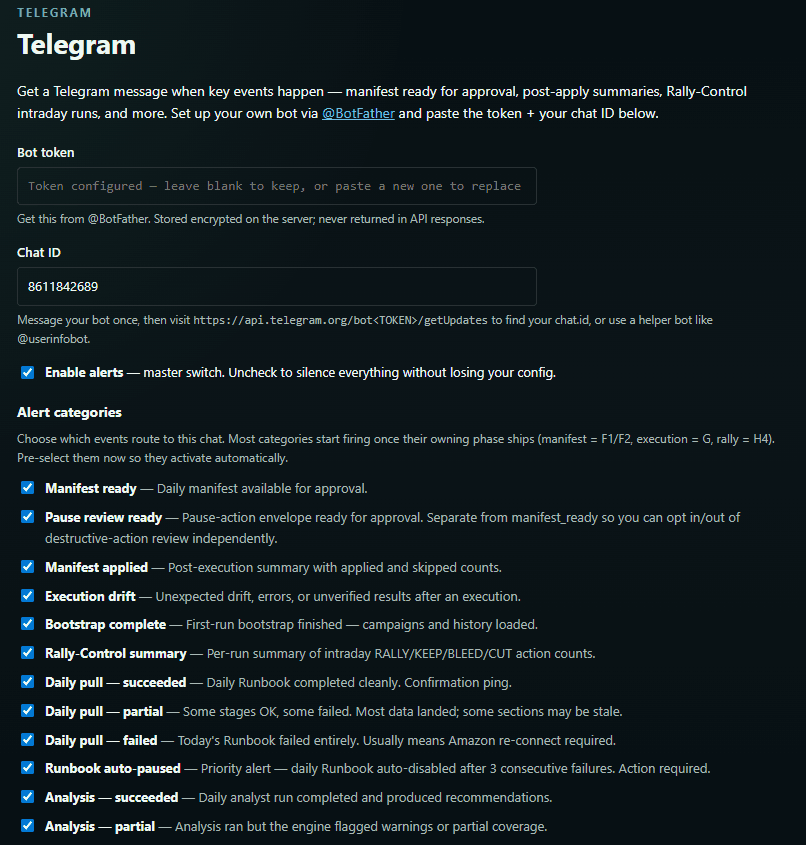
A daily digest lands in Telegram with the Manifest summary and a QC report. Approve, reject, check status, or hit the emergency stop — without opening a laptop.
The daily digest
Each morning the digest summarizes the run — how many bid changes, budget changes, pauses, and negatives the Manifest holds, the Guardrail and dry-run status, and the spread of Data Confidence Scores — then offers the commands to act on it.
Core commands
/approve executes the full Manifest; /approvetop approves only the high-confidence actions; /reject skips today. /dryrun forces a dry-run, /status shows pipeline status, /details lists every action, /qc returns the QC CSV, and /guardrails shows your current policy. /pause and /resume are the emergency stop, available at all times.
Cockpit on higher tiers
Growth and Pro add multi-account control: /approve for a named account, /pauseall across every account, /audit on demand, /stage and /promote for the Autonomy Ladder, /rally on or off, and a portfolio /summary.
Alerts you choose
You decide which alerts you receive — so the cockpit stays a control surface, not noise.