A reviewable plan, every run
Each daily Runbook ends with one Manifest. Open any run to review its proposed actions, status, and counts — nothing has been applied yet.
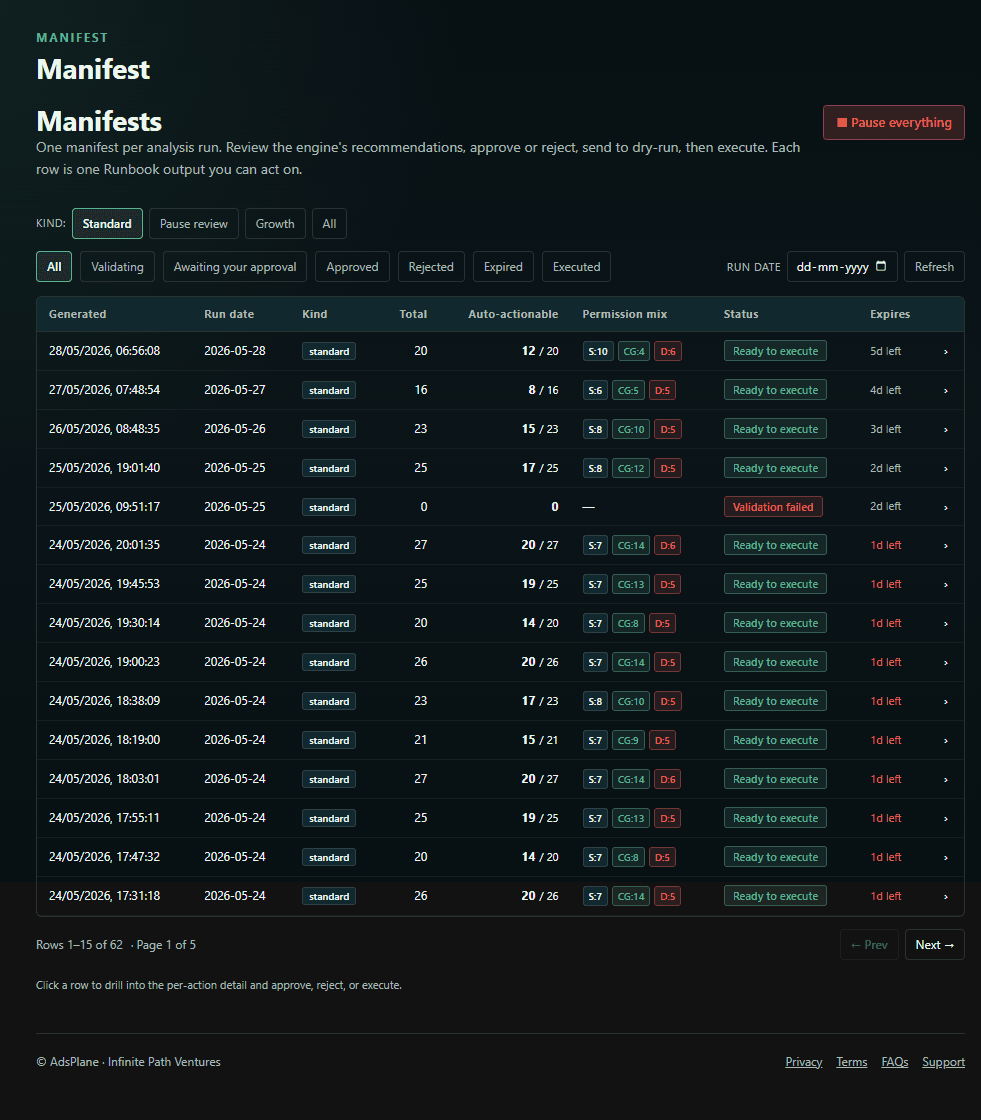
Sample Manifest
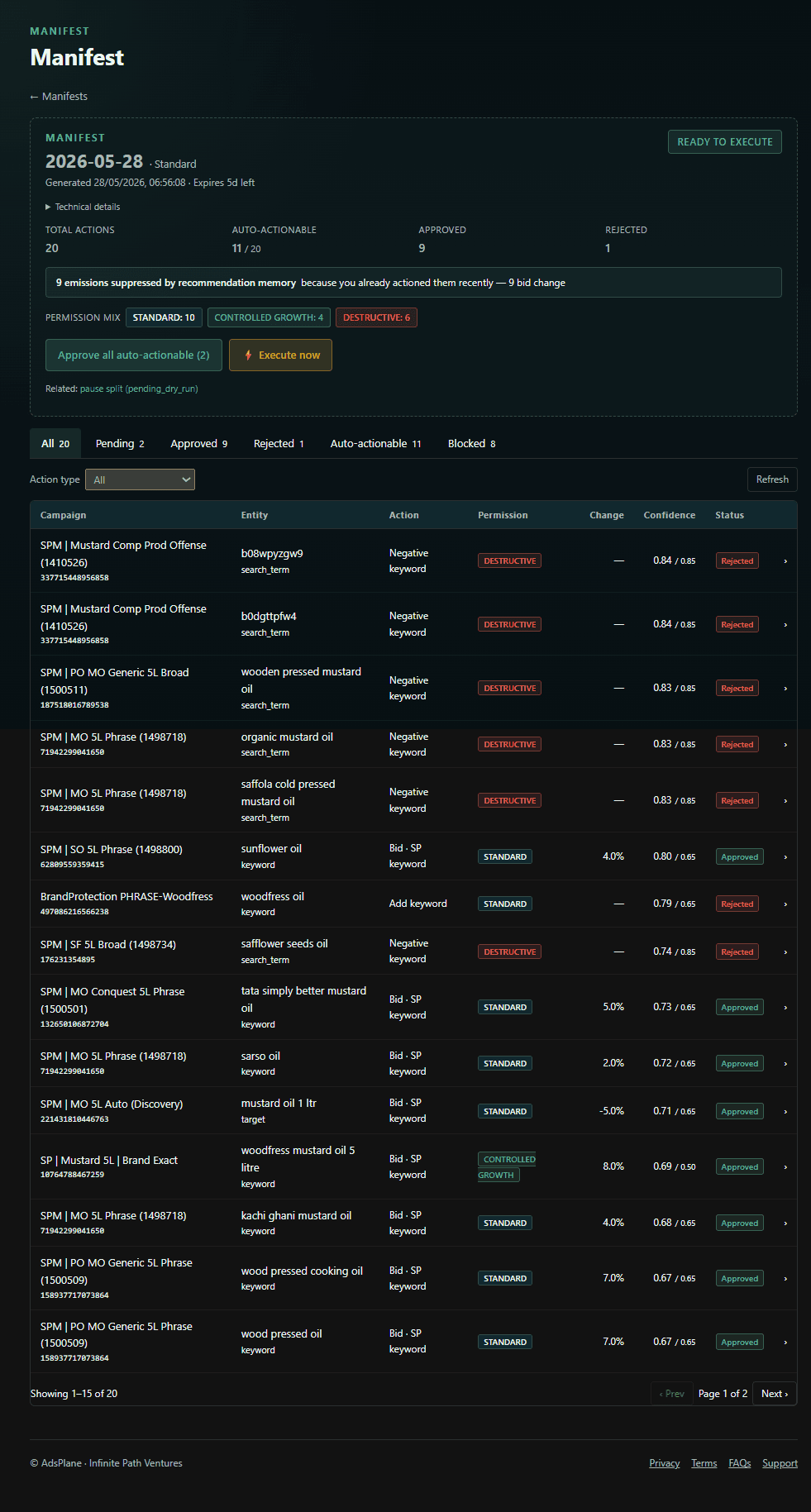
A Manifest is the structured action plan AdsPlane's engine produces on every daily Runbook — the single place every proposed change lives, fully reviewable before anything touches your account. Here's a real one, walked through end to end.
Each daily Runbook ends with one Manifest. Open any run to review its proposed actions, status, and counts — nothing has been applied yet.
At the top: how many actions the run proposed, how many are auto-approve-eligible, and the guardrail summary. Below, every action carries the entity it affects, the change as current value → proposed value, the percent change, a plain-English rationale, a Data Confidence Score reflecting data quality and sample size, and its Guardrail status.
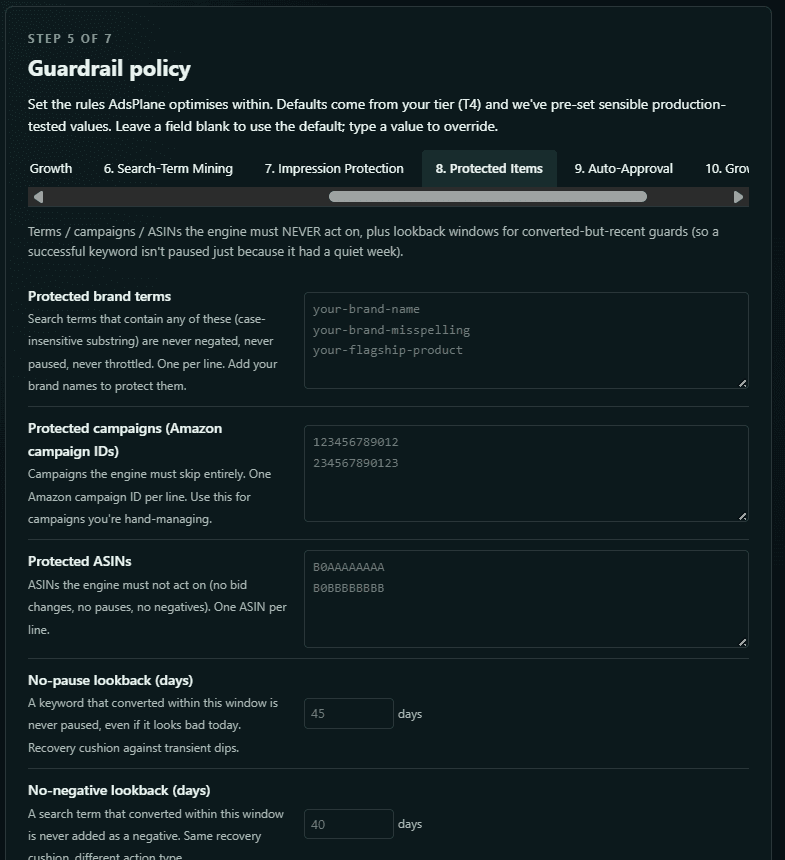
Your Guardrail Policy sets the rails: protected brand terms, campaigns, and ASINs the engine never acts on; no-pause and no-negative lookback windows so a recent converter isn't touched on a quiet day; and caps on how far any bid or budget can move. Each proposed action is then passed, clamped to your limits, or blocked — visible on every line and in a dedicated Blocked view.
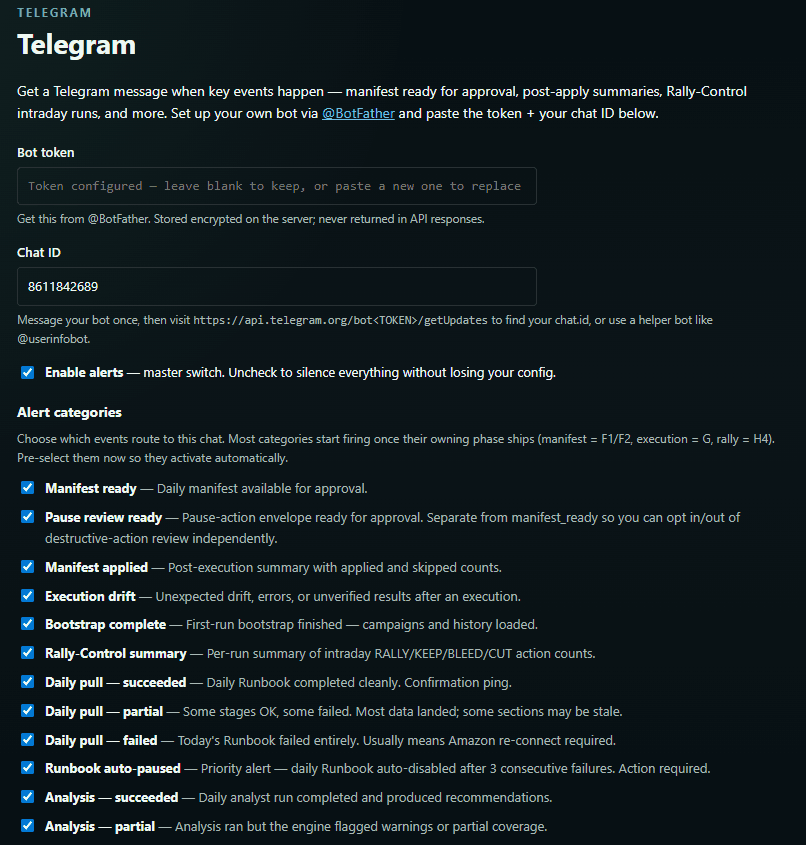
Nothing executes until you approve. Approve everything, just the high-confidence subset, or individual actions; reject; request a dry-run; or pause the run — from the dashboard or straight from Telegram (approve, reject, status, QC, pause). New accounts start in Shadow Mode, where the Manifest is shown but nothing can execute.
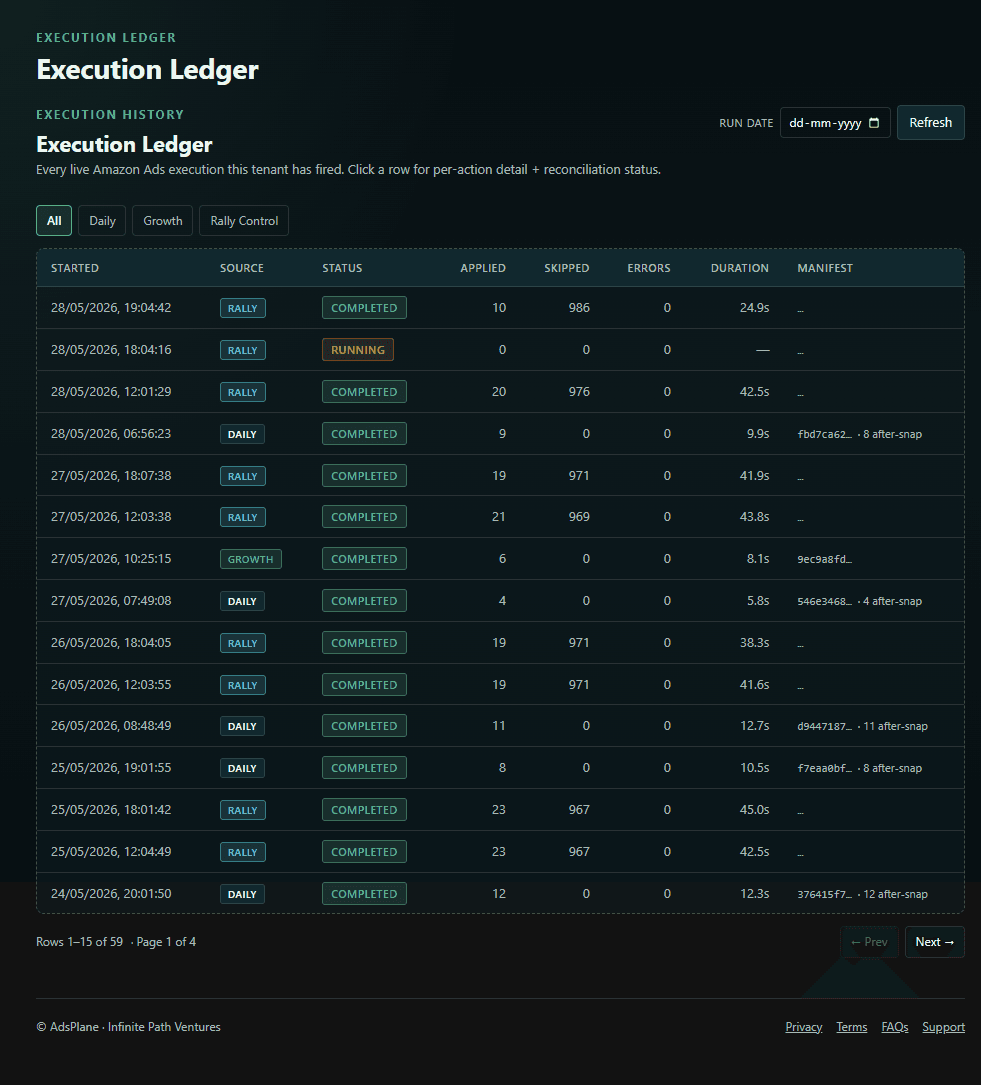
Approval starts a dry-run that validates the actions first. Approved changes apply through the official Amazon Ads API. Then Reconciliation verifies each change landed and flags any drift, and the Execution Ledger records every action with its before/after value and result.
What you get
Preview only. Connect locally, run Shadow Mode, and see the exact Manifest above — what AdsPlane would propose — with no live execution.
The full loop. Approve from the web or Telegram, dry-run, execute through the Amazon Ads API, and reconcile every run — all bounded by your Guardrail Policy.
Take it with you
We'll send a short series on how to evaluate any Amazon PPC tool by execution safety — the Manifest, Guardrails, the Approval Gate, and Reconciliation — one email at a time. Unsubscribe anytime.
See it on your own account
Install Free Local Lite and run a Manifest on your own campaigns — preview only, nothing executes. Or watch the ~25-min demo first →